Los pedidos se entregan normalmente a México en un plazo de 1 a 5 días, según la ubicación.
El envío gratuito a México se aplica a pedidos de USD 100 o más. Los gastos de envío serán de USD 30 para todos los pedidos inferiores a USD 100.
Flete prepago de UPS, FedEx o DHL: CPT (aranceles, aduanas e impuestos adeudados en el momento de la entrega)
Cuenta de crédito para instituciones y empresas calificadas
Pago por adelantado a través de transferencia bancaria
![]()
![]()
![]()
![]()
![]()


Más productos de socios totalmente autorizados
Tiempo promedio de envío de 1 a 3 días , se pueden aplicar cargos adicionales por envío. Consulte la página de productos, el carrito y el pago para estimar la velocidad del envío actual.
Incoterms: CPT (impuestos, tarifas aduaneras e IVA/impuestos aplicables pagaderos en el momento de la entrega)
Para obtener más información, visite Ayuda y soporte
If you want to learn to code, learning to write games is a great way to get started, and our new hand held gamer has everything you need right now and it also has the connectivity for everything you might need tomorrow.
For the budding Roboteer, learning how to add and control actuators is a key skill. In this guide, we are going to take a look at our servo driven Klaw actuator,* and show you how to control it via code.
Our Air Freshener Kit is one of the most featured kits in our Student Gallery, and for good reason! It requires a good amount of design thinking, but the enclosure itself can be quite abstract or take on a great number of forms.
In this tutorial we’ll demonstrate how a Raspberry Pi Pico can be used along with some simple electronic components and Python code to record the voltage of a AA battery.
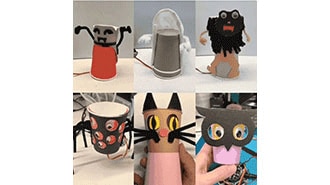
This guide shows how program these crafty monsters with both Microsoft MakeCode - a block-based programming system that's easy for anyone to use, and CircuitPython, a Python-based language that is the perfect introduction to higher-level programming.
We recently launched the Kitronik Simple Servo Control Board for BBC micro:bit, and Emma wasted no time in putting together three great resources for it. We've included all three resources below, with all of the files needed and step by step instructions for each.
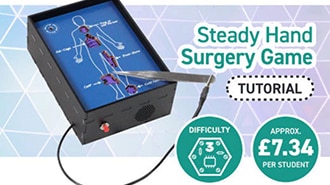
This make is a good example of using a kit which looks like it has only one particular purpose in an entirely new way. What was designed as a Steady Hand Game, in which a loop is passed around a wire maze, is here being used as the circuitry for a surgery-themed game instead!
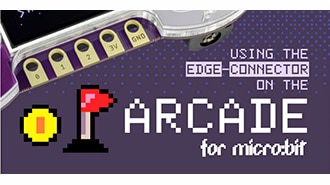
Full micro:bit edge connector support has now been added to the MakeCode Arcade editor. To highlight this, Jake from our Dev team has put together a code example to demonstrate the functionality of the micro:bit IO under Makecode Arcade.
This make by Kev, our in-house illustrator/designer, is great for the classroom. It combines electronics and design, and the result will look good on a desk, a shelf, or in a workshop.
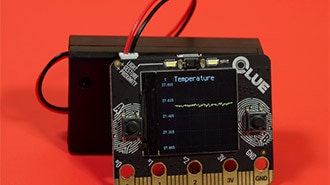
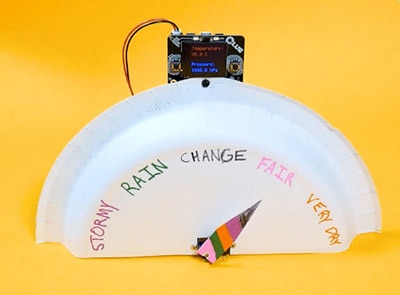
The CLUE has tons of onboard sensors that can sense movement, light, sound, and environmental measures like temperature and humidity. This project uploads code to the CLUE using PyLeap that uses the CLUE's onboard display to plot all of the sensors' data.
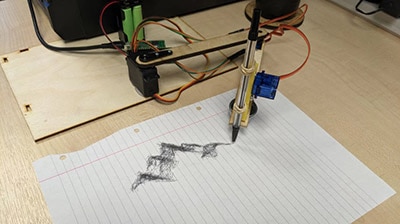
In this blog we are going to cover how to improve on our Cardboard Pico Drawing Robot Arm.
Conavegar
Al usar la función de Conavegación, acuerda que un representante de soporte de DigiKey pueda ver su navegador de forma remota. Cuando se abre la ventana de Conavegación, informe al representante la Id. de sesión que se encuentra en la barra de herramientas.
DigiKey respeta su derecho a la privacidad. Para obtener más información, consulte el Aviso de privacidad y el Aviso de cookies.
Sí, continuar a la Conavegación¡Gracias!
¡Esté atento a las noticias y actualizaciones de DigiKey que llegarán a su bandeja de entrada!
Ingrese una dirección de correo electrónico
Acepte marcando la casilla